 Widget Corner
Your convention companion
Your convention,
your way.
BurlyCon
Find your next class. Save the sessions you love. Know where to go. Bring a little more ease to your BurlyCon weekend.
For iPhone, iPad, and Android · App support
- Build your own My Con
- Schedule and room guide offline
- Larger text and reduced motion
A closer look
A little guidance. A lot to discover.
BurlyCon is an annual burlesque arts education convention, held November 5–8, 2026 at the Hilton Seattle Airport & Conference Center in Seattle, Washington.
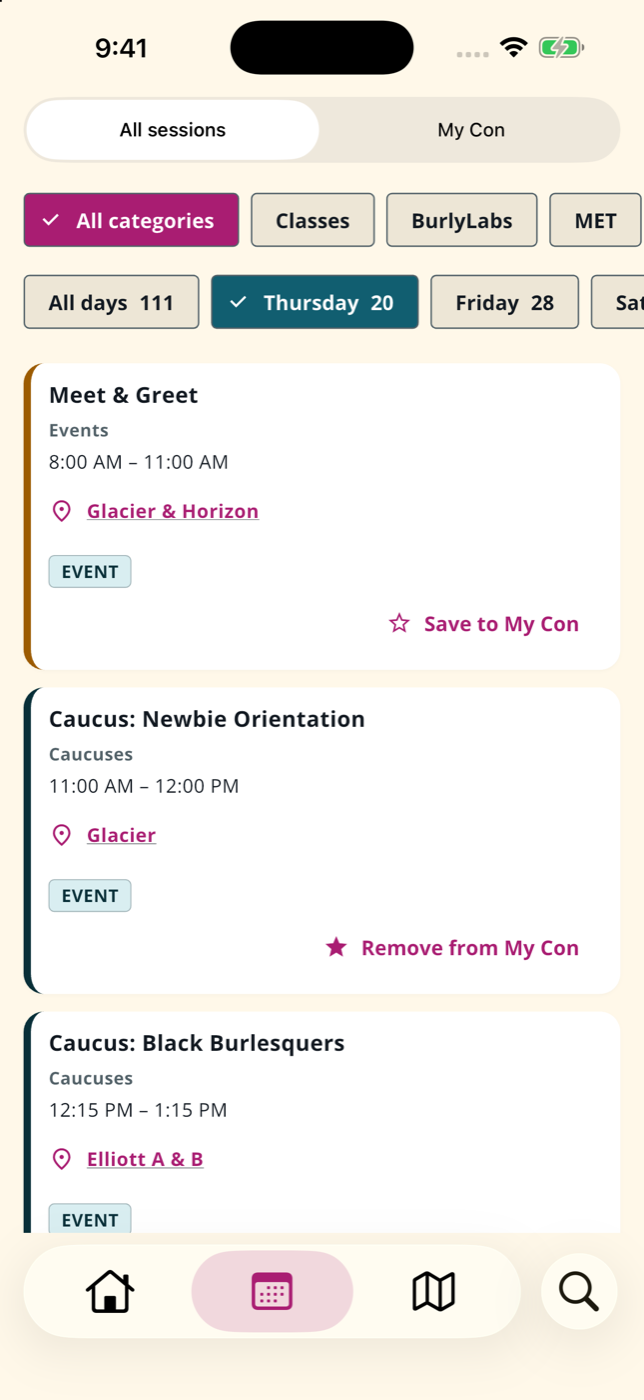
The companion app for iPhone, iPad, and Android includes a bundled schedule, venue map, and text room guide, so you can browse classes and look up room locations even without a connection. Connect to refresh the schedule with the latest updates.
The little details
Make room for a great weekend.
Convention schedule
Browse classes, panels, and events by day. Check Home for coming-up sessions.
Day chips and search
Jump between Thursday–Sunday and search by title, presenter, or room.
My Con
Save the sessions you want to attend, grouped by day.
Reminders
Choose a local notification for a session’s start time or up to two hours ahead. Notification permission is required; delivery timing depends on your device.
Venue map and room guide
Read room descriptions or explore the Cascade Building map with zoom, pan, and reset buttons. Both views are included for offline use.
Info and links
Presenter biographies, registration links, hotel details, and accessibility information in one place. External websites require a connection.
More ways to make it yours
A more comfortable convention companion.
Version 2026.9.15 (build 10) adds accessibility improvements across phones and tablets. Features depend on the app version installed on your device.
Larger text
The app follows your device’s text-size setting, with wrapping titles, scrollable dialogs, and navigation that adapts to the available space.
Light and dark appearance
The app follows your device’s theme, with updated text and control contrast. The room guide follows Dark Mode; the map image keeps its light background.
Reduced motion
Navigation, dialogs, and refresh indicators respond to your device’s reduced-motion setting.
Clearer controls
Descriptive headings and button labels help assistive technology identify content and actions. Selected filters and saved sessions use text or symbols as well as color.
See accessibility help for settings, map instructions, and the current status of screen-reader and voice-control testing.
Privacy
Your time. Your device. Your business.
No account, ads, or analytics. Your saved sessions and reminder settings are stored locally and are not sent to Widget Corner. See the privacy policy for details about content downloads, device backups, and support email.
Read the full privacy policy.